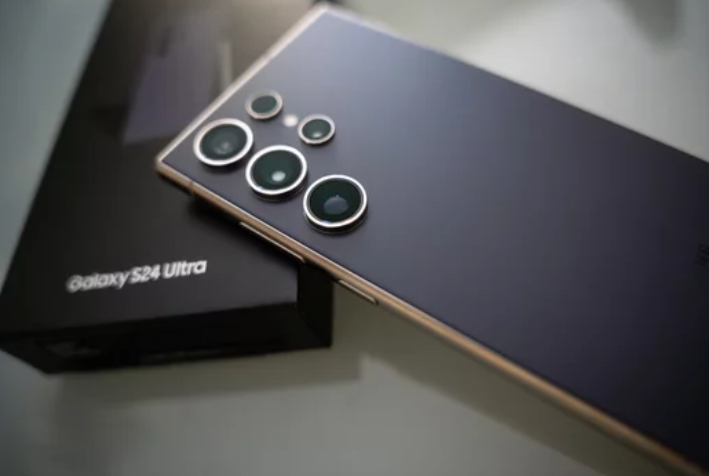
The Samsung Galaxy S26 Ultra is designed with a powerful battery and intelligent power-management features to support heavy daily use. With its high-resolution display, advanced cameras, and powerful processor, the device can handle gaming, streaming, and multitasking without difficulty.
However, all these powerful features also consume energy. If your phone struggles to last through the day, improving battery life often comes down to adjusting a few settings and usage habits.
This guide explains simple and effective ways to improve Samsung Galaxy S26 Ultra battery life, helping your phone last longer between charges.
1. Reduce Screen Brightness
The display is the largest power consumer on most smartphones. The bright, high-resolution screen of the Samsung Galaxy S26 Ultra can quickly drain the battery when brightness is set too high.
What you can do
- Lower brightness manually
- Enable Adaptive Brightness
- Reduce screen timeout duration
These adjustments reduce energy consumption without significantly affecting usability.
2. Adjust the Screen Refresh Rate
Modern flagship phones use high refresh rates to deliver smooth scrolling and animations. While this improves visual performance, it also uses more battery power.
Solution
Switch to a standard refresh rate when you don’t need ultra-smooth animations. This simple change can extend battery life throughout the day.
3. Close Unnecessary Background Apps
Many apps continue running in the background even when you’re not actively using them.
Why it matters
Background apps consume processing power, network resources, and battery life.
Fix
- Close unused apps from the recent apps screen
- Restrict background activity for rarely used apps
- Monitor battery usage in settings
Managing background activity can significantly improve battery efficiency.
4. Enable Power Saving Mode
Power Saving Mode is one of the easiest ways to extend battery life.
Benefits
- Limits background activity
- Reduces processor speed
- Adjusts brightness automatically
This feature is especially useful during long days when you cannot charge your phone.
5. Turn Off Features You Don’t Use
Smartphones include many connectivity features that constantly consume power.
Examples
- Bluetooth
- GPS location services
- NFC
- Wi-Fi scanning
Turning off unused features helps conserve battery energy.
6. Manage Location Services
Location tracking can significantly impact battery life.
What you can do
- Turn off location services when not needed
- Allow location access only while using specific apps
Limiting location usage reduces background activity.
7. Reduce Notifications and Background Sync
Some apps constantly check for updates or send notifications.
Why this matters
Frequent syncing requires both internet connectivity and processing power.
Fix
Disable notifications and background syncing for apps that are not essential.
This reduces unnecessary battery usage.
8. Keep Apps and Software Updated
Outdated apps may not be optimized for your phone’s operating system.
What to do
- Update apps regularly from the app store
- Install system updates when available
Updates often include bug fixes and performance improvements that help reduce battery consumption.
9. Avoid Extreme Temperatures
Heat and cold both affect battery efficiency.
What to avoid
- Leaving the phone in direct sunlight
- Charging the phone in very hot environments
- Using the phone heavily while charging
Keeping your Samsung Galaxy S26 Ultra within normal temperature ranges helps maintain optimal battery performance.
10. Monitor Battery Usage
Understanding which apps consume the most power can help you make smarter decisions.
How to check
- Open Settings
- Tap Battery
- Select Battery Usage
If an app consumes excessive power, consider limiting its background activity or uninstalling it.
11. Restart Your Phone Occasionally
Many people rarely restart their smartphones, but doing so can improve battery efficiency.
Why restarting helps
Restarting clears temporary system processes that may be draining battery power.
Doing this occasionally helps keep your phone running smoothly.
Tips for Long-Term Battery Health
Improving battery life isn’t only about daily settings—it also involves maintaining battery health over time.
Good charging habits
- Avoid letting the battery drop to 0% frequently
- Use original or certified charging accessories
- Avoid charging in extremely hot conditions
These habits help extend the lifespan of your battery.
Final Thoughts
The Samsung Galaxy S26 Ultra offers impressive battery capacity, but its advanced features can consume significant power if not managed properly. By adjusting settings like screen brightness, refresh rate, background apps, and connectivity features, you can dramatically improve battery performance.
With the right habits and settings, your phone should easily last through the day while delivering the powerful performance and features it was designed for. 🔋📱
Also Read :