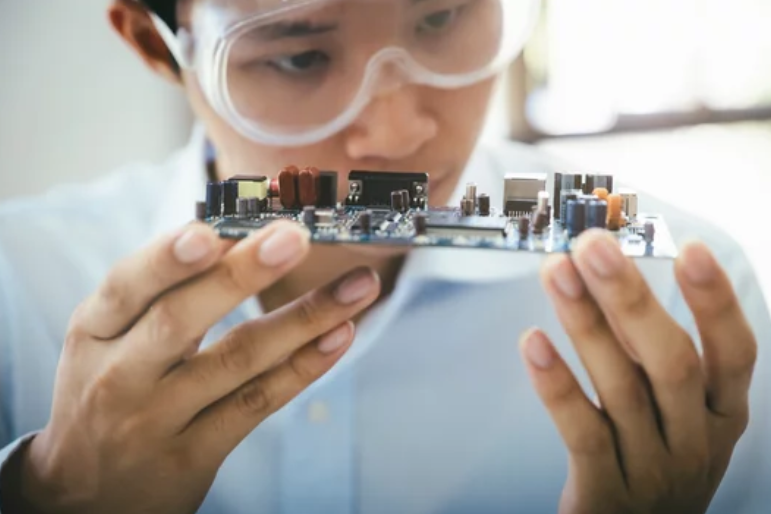
In today’s fast-paced digital world, proper maintenance of your devices and daily tools is no longer optional—it’s essential. Whether you’re using a smartphone, laptop, or household gadgets, consistent upkeep ensures optimal performance, extends lifespan, and prevents costly repairs. Many users overlook simple maintenance habits, leading to slow performance, unexpected breakdowns, and security risks.
This comprehensive guide will walk you through essential maintenance tips for everyday users, helping you keep your devices running smoothly and efficiently without needing advanced technical skills.
Why Regular Maintenance Matters
Before diving into actionable tips, it’s important to understand why maintenance is crucial. Regular upkeep:
- Improves device performance and speed
- Reduces the risk of unexpected failures
- Enhances security and data protection
- Saves money on repairs or replacements
- Extends the overall lifespan of your devices
Ignoring maintenance can lead to gradual deterioration, making even the best devices frustrating to use.
Keep Your Devices Clean and Dust-Free
One of the simplest yet most overlooked maintenance practices is cleaning your devices regularly.
For Smartphones and Tablets
- Wipe screens with a microfiber cloth to remove fingerprints and smudges
- Avoid using harsh chemicals that can damage the display
- Clean charging ports gently to remove lint and dust
For Laptops and Desktops
- Use compressed air to clean keyboards and vents
- Dust buildup can cause overheating and reduce performance
- Keep screens clean for better visibility and reduced eye strain
A clean device not only looks better but also functions more efficiently.
Update Software and Applications Regularly
Software updates are often ignored, but they play a critical role in device maintenance.
Benefits of Regular Updates
- Fix bugs and glitches
- Improve system performance
- Patch security vulnerabilities
- Add new features and enhancements
Always enable automatic updates where possible to ensure your system stays current without manual intervention.
Manage Storage Space Effectively
Running out of storage is a common issue that can significantly slow down your device.
Tips to Free Up Space
- Delete unused apps and files
- Clear cache and temporary data
- Move photos and videos to cloud storage or external drives
- Regularly empty the recycle bin or trash folder
Keeping at least 15–20% of your storage free ensures smooth performance.
Protect Your Device from Malware and Viruses
Security is a key aspect of maintenance that should never be ignored.
Best Practices for Device Security
- Install reliable antivirus software
- Avoid downloading apps from unknown sources
- Be cautious with suspicious links and emails
- Use strong, unique passwords
Cyber threats are constantly evolving, so staying vigilant is essential for protecting your data.
Optimize Battery Health
Battery performance tends to degrade over time, but proper care can slow this process.
Battery Maintenance Tips
- Avoid letting your battery drop to 0% frequently
- Keep the charge between 20% and 80% when possible
- Use original or certified chargers
- Avoid exposing devices to extreme heat
Good battery habits can significantly extend your device’s usability.
Restart Your Devices Regularly
Many users rarely restart their devices, which can lead to performance issues over time.
Why Restarting Helps
- Clears temporary files and memory
- Fixes minor software glitches
- Improves overall system responsiveness
A simple restart once a week can make a noticeable difference.
Organize Files and Applications
Clutter isn’t just physical—it affects your digital life too.
How to Stay Organized
- Create folders for documents, photos, and downloads
- Rename files for easy identification
- Remove duplicate files
- Arrange apps based on usage frequency
An organized system saves time and reduces frustration.
Monitor Device Performance
Pay attention to how your device behaves daily.
Signs Your Device Needs Maintenance
- Slower performance than usual
- Apps crashing frequently
- Overheating during normal use
- Unusual battery drain
Identifying these signs early can prevent bigger problems down the line.
Backup Your Data Regularly
Data loss can happen unexpectedly due to hardware failure, theft, or accidental deletion.
Backup Strategies
- Use cloud storage services for automatic backups
- Keep external backups on USB drives or hard disks
- Schedule weekly or monthly backups
Having a backup ensures that your important files are always safe.
Avoid Overloading Your Device
Using too many apps or running heavy processes simultaneously can strain your device.
Smart Usage Tips
- Close apps running in the background
- Limit multitasking when not necessary
- Avoid installing unnecessary software
Balanced usage helps maintain long-term performance.
Take Care of Hardware Components
Physical care is just as important as software maintenance.
Hardware Protection Tips
- Use protective cases for smartphones
- Keep devices away from water and moisture
- Avoid dropping or mishandling
- Store devices in safe, dry environments
Proper handling reduces the risk of physical damage.
Improve Internet and Connectivity Performance
Connectivity issues can often be mistaken for device problems.
Maintenance for Better Connectivity
- Restart your router periodically
- Keep your device’s network settings updated
- Avoid overcrowded Wi-Fi networks
- Use secure and stable connections
Stable internet improves both productivity and user experience.
Develop Consistent Maintenance Habits
The key to effective maintenance is consistency.
Create a Simple Routine
- Weekly: Clean devices and restart
- Monthly: Check storage and update software
- Quarterly: Backup data and review security settings
A routine ensures that maintenance becomes effortless over time.
Conclusion: Small Efforts, Big Results
Maintaining your devices doesn’t require technical expertise or expensive tools. With simple, consistent habits, you can significantly improve performance, extend lifespan, and avoid unnecessary stress.
By following these essential maintenance tips for everyday users, you not only protect your investment but also ensure a smoother, more reliable experience in your daily digital life. Start implementing these practices today, and you’ll notice the difference almost immediately.
Also Read :