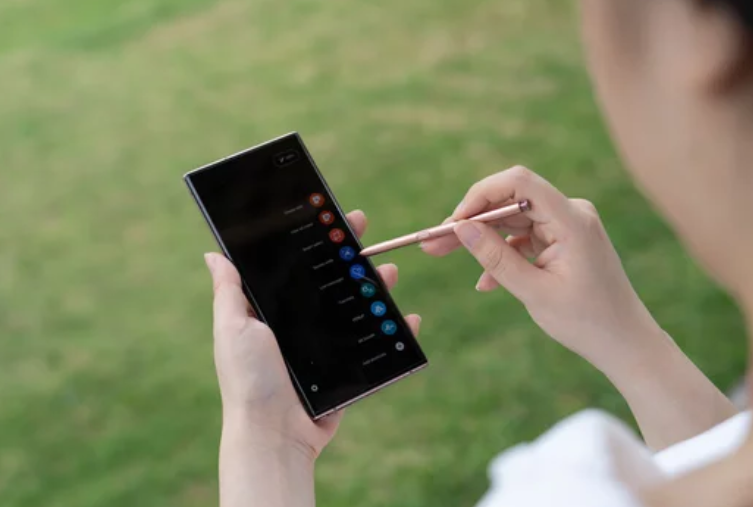
The Samsung Galaxy S26 Ultra is a cutting-edge flagship packed with AI features, powerful hardware, and an advanced display system. On the surface, it delivers exceptional performance—but beneath that polished experience, some hidden bugs and lesser-known issues have started to surface.
These are not always obvious problems like crashes or failures. Instead, they’re subtle glitches, system inconsistencies, or background errors that can quietly affect performance, battery life, or usability over time.
In this in-depth guide, we uncover the most important hidden bugs reported by users and experts—and explain what’s really going on behind the scenes.
What Are “Hidden Bugs” in Smartphones?
Hidden bugs are issues that:
- Don’t always show obvious symptoms
- Occur in the background or under specific conditions
- Affect performance, stability, or compatibility over time
Unlike major failures, these bugs often go unnoticed—until they start causing bigger problems.
1. Play Protect Certification Bug (Security Glitch)
One of the most surprising hidden bugs affects Google Play Protect certification.
What Happens
Some Galaxy S26 Ultra units show:
- “Device not Play Protect certified”
- Banking and secure apps refusing to run
Why It’s Serious
Play Protect is Android’s core security verification system. If it fails:
- Apps may not trust your device
- Payments and banking apps can break
What Caused It
Early firmware inconsistencies appear to have triggered this issue on some devices. (Sammy Fans)
Fix
- Install the latest software update immediately
- Check Play Store certification status
- Restart device after updates
2. Privacy Display Bug Affecting Clarity
The new Privacy Display is innovative—but it also introduces hidden side effects.
Hidden Problem
Even when turned off:
- Text may appear slightly blurry
- Screen brightness may feel reduced
Recent reports confirm that users experience fuzziness and discomfort, possibly due to changes in pixel behavior. (Tom’s Guide)
Why It Happens
- Pixel-level adjustments for privacy filtering
- Modified OLED structure
- Trade-off between privacy and clarity
3. Background AI Overload (Silent Performance Drain)
The Galaxy S26 Ultra relies heavily on AI-driven features through Galaxy AI.
Hidden Issue
- AI processes run constantly in the background
- Increased RAM usage and battery drain
- Occasional lag during multitasking
Galaxy AI continuously analyzes usage patterns, which can consume system resources even when you’re not actively using AI features. (Wikipedia)
Symptoms
- Phone feels warm without heavy use
- Battery drains faster overnight
- Random slowdowns
4. Adaptive Brightness Miscalibration
A subtle but frustrating bug involves auto-brightness behavior.
What Users Notice
- Screen dims unexpectedly
- Brightness fluctuates randomly
- Poor visibility outdoors
Hidden Cause
The AI-driven brightness system may:
- Misinterpret lighting conditions
- Over-adjust based on learned patterns
5. Cache Accumulation Bug (Performance Degradation)
Over time, the system cache can become overloaded or corrupted.
Hidden Effects
- Gradual slowdown
- App crashes
- System stutter
This isn’t a visible bug—but a silent one that builds up over time.
Why It Happens
- Frequent app updates
- Background processes storing temporary data
- Incomplete cache clearing
6. Camera Processing Artifacts
Samsung’s AI camera system (powered by ProVisual Engine) enhances images—but can introduce hidden flaws.
Hidden Problems
- Over-sharpening or unnatural colors
- Inconsistent image quality across modes
- Processing delays in high-resolution shots
AI processing can sometimes distort natural image details due to aggressive optimization. (Wikipedia)
7. Network Switching Instability
The S26 Ultra automatically switches between Wi-Fi, 4G, and 5G networks.
Hidden Issue
- Frequent network switching in the background
- Temporary signal drops
- Slower internet speeds
Why It Happens
Smart network switching prioritizes speed—but may:
- Constantly search for better signals
- Interrupt stable connections
8. RAM Management Inefficiency
Despite having large RAM capacity, some users experience:
Hidden Symptoms
- Apps restarting unexpectedly
- Background apps closing too aggressively
Underlying Cause
- AI prioritization of apps
- Memory allocation conflicts
This is not a hardware limitation—it’s a software optimization issue.
9. Charging Optimization Bugs
The S26 Ultra supports fast charging and smart battery protection—but not always perfectly.
Hidden Problems
- Charging speed fluctuates
- Device heats up during charging
- Charging pauses unexpectedly
Possible Cause
- Adaptive charging algorithms miscalculating usage
- Thermal management interfering with charging speed
10. Missing Qi2 Magnetic Support Side Effects
The phone supports Qi2 wireless charging—but lacks built-in magnets.
Hidden Impact
- Misalignment during wireless charging
- Reduced charging efficiency
- Inconsistent accessory performance
This design decision was made to avoid interference with internal components like the camera and S Pen. (Wikipedia)
11. Software Update Bugs (Early Firmware Issues)
Like many flagship launches, early software versions may contain hidden bugs.
Common Hidden Issues
- Minor UI glitches
- Background crashes
- Feature inconsistencies
Samsung typically releases patches quickly—but early adopters often experience these issues first.
12. Display Brightness Limitation Bug
Testing shows the S26 Ultra display may be slightly dimmer than its predecessor.
Hidden Problem
- Reduced peak brightness
- Lower visibility in sunlight
This appears to be a trade-off linked to the Privacy Display feature. (Android Central)
Are These Bugs Serious?
Major Hidden Bugs
- Play Protect certification issue
- Display clarity inconsistencies
Moderate Issues
- AI background processing
- Battery and brightness irregularities
Minor Bugs
- UI glitches
- Charging inconsistencies
- Network switching
Most of these are software-related, meaning they can be fixed through updates.
How to Fix Hidden Bugs on Galaxy S26 Ultra
1. Update Your Software Regularly
Samsung frequently releases patches to fix early bugs.
2. Clear Cache Partition
Removes corrupted system files and improves performance.
3. Disable Unnecessary AI Features
Reduce background processing load.
4. Reset Network Settings
Fix connectivity instability.
5. Monitor Battery and App Usage
Identify apps causing hidden drain.
6. Restart Your Device Frequently
Helps clear temporary glitches.
Final Thoughts: Small Bugs, Big Impact
The Samsung Galaxy S26 Ultra is an incredibly powerful smartphone—but like any advanced device, it’s not immune to hidden bugs.
The key takeaway is this:
Most issues are not hardware failures—they’re software imperfections that can be fixed or managed.
While these bugs may not affect every user, being aware of them gives you a major advantage. With the right adjustments and updates, you can eliminate most of these hidden issues and enjoy a smooth, high-performance experience.
Bottom Line
Hidden bugs in the Samsung Galaxy S26 Ultra may not always be obvious—but they can impact performance, battery life, and usability over time.
By identifying and addressing these issues early, you can:
- Improve device stability
- Extend battery life
- Enhance overall performance
In the end, understanding your device is the real power—and with this guide, you’re now one step ahead.
Also Read :